Everything after you buy happens on LINE. How much data is left, when it expires, why it isn’t connecting — you can check it yourself, right there, without asking anyone.
Ask us anything, any time of day. Link your order and we can answer about the exact product you bought.
Check it yourself, without asking
Your data and expiry, right now
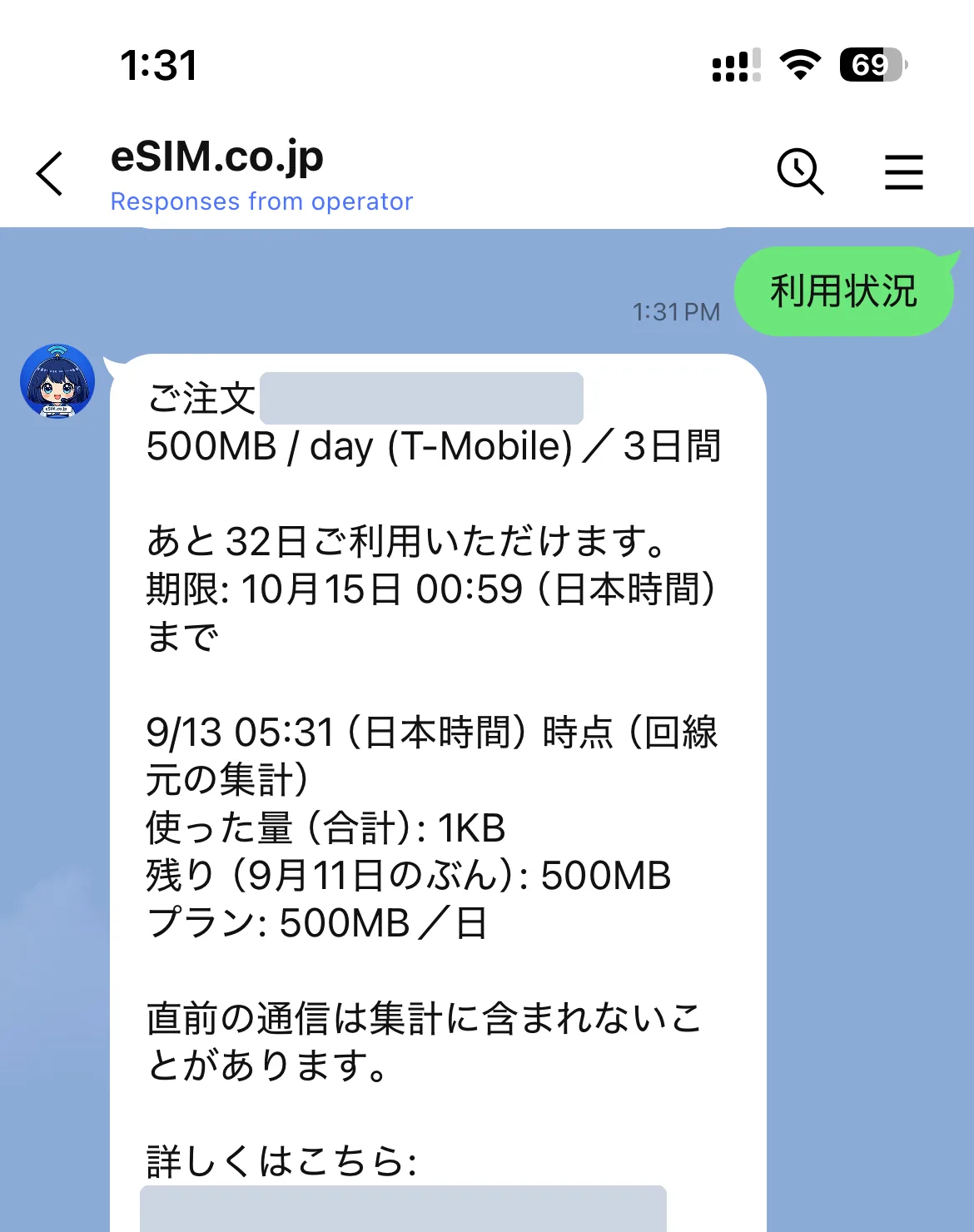
One tap tells you how many GB are left and how long you can use it — the figures we get from the carrier at that moment.
Find out why it won't connect, just by choosing
We ask what state you're in first, then show only the steps that fit. No chasing settings that have nothing to do with it.
Setup for the product you actually bought
How you add it and how it activates differ by product. We only show you yours.
Link your order to LINE
Just adding us as a friend is enough for general questions about the products and how they work. Link your order and we can also see what you bought, how much data is left and when it expires.
!Please do this on your phoneOpen your order email on the phone that has the LINE app. It won’t work on a computer.
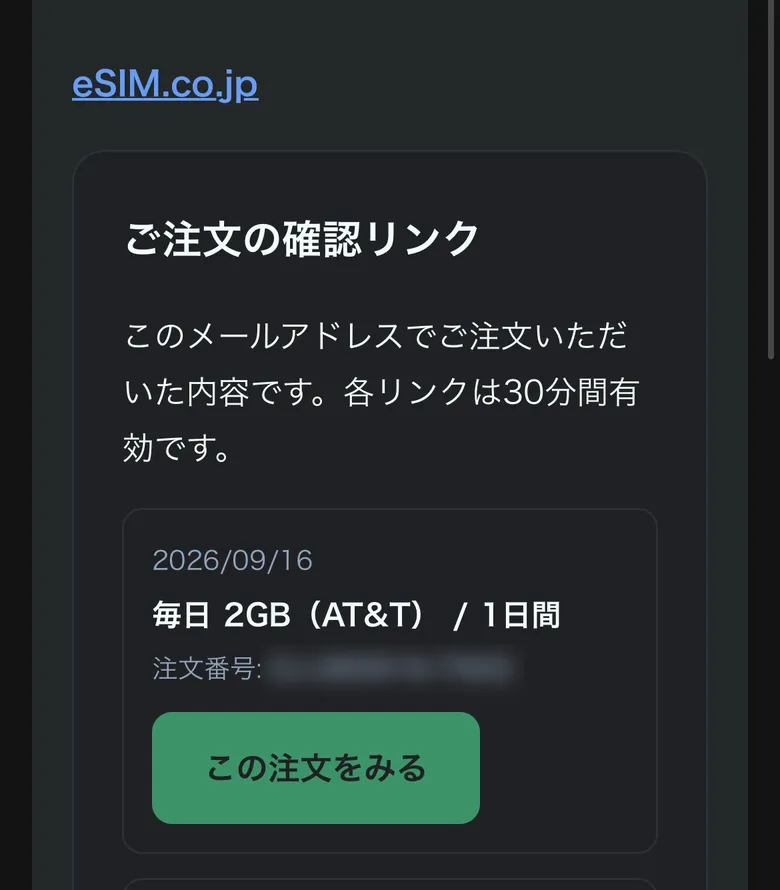
1Open your order email on your phone and tap the buttonIn your order confirmation email tap “Open eSIM”. In the “Check your order” email tap “View this order”.Can't find the email? You can have it sent again from “Check your order” on our site.
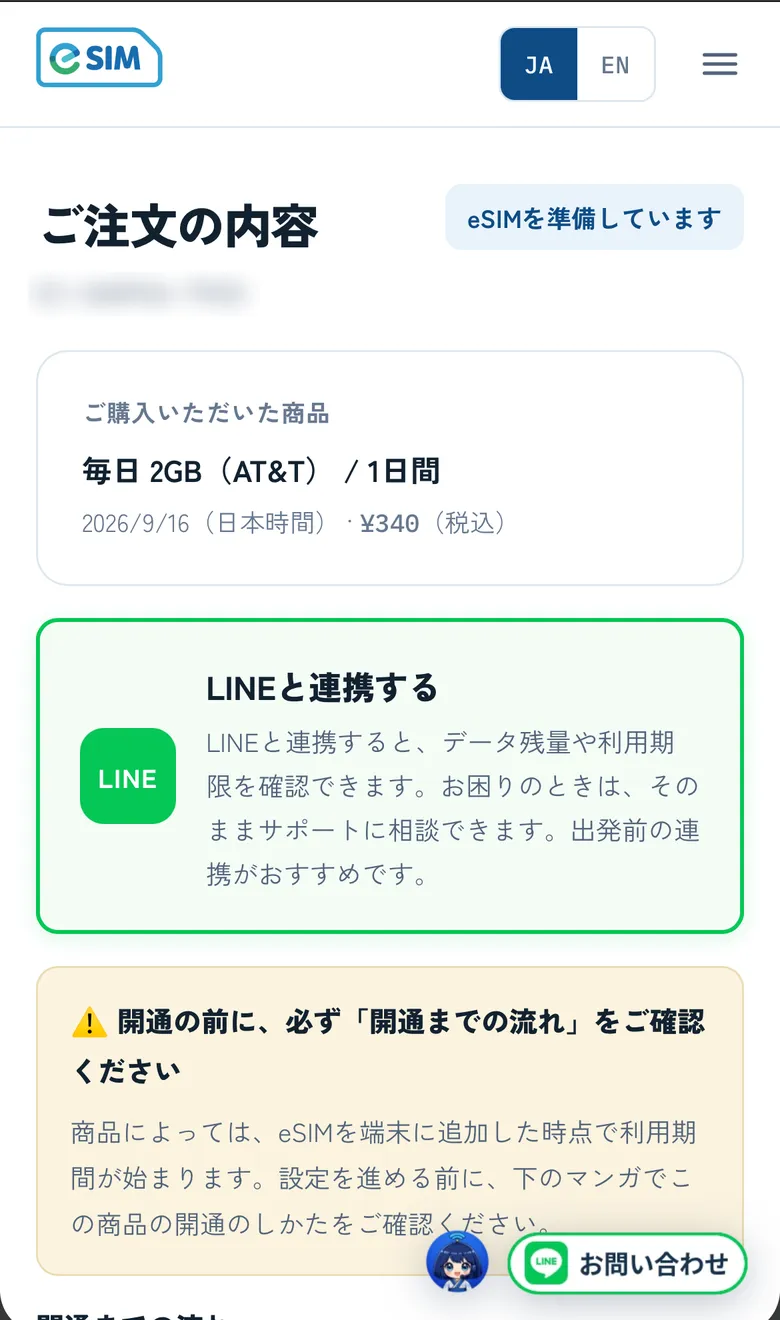
2Tap “Connect with LINE”It's the button in the green box near the top of your order page. Tapping it opens the LINE app.
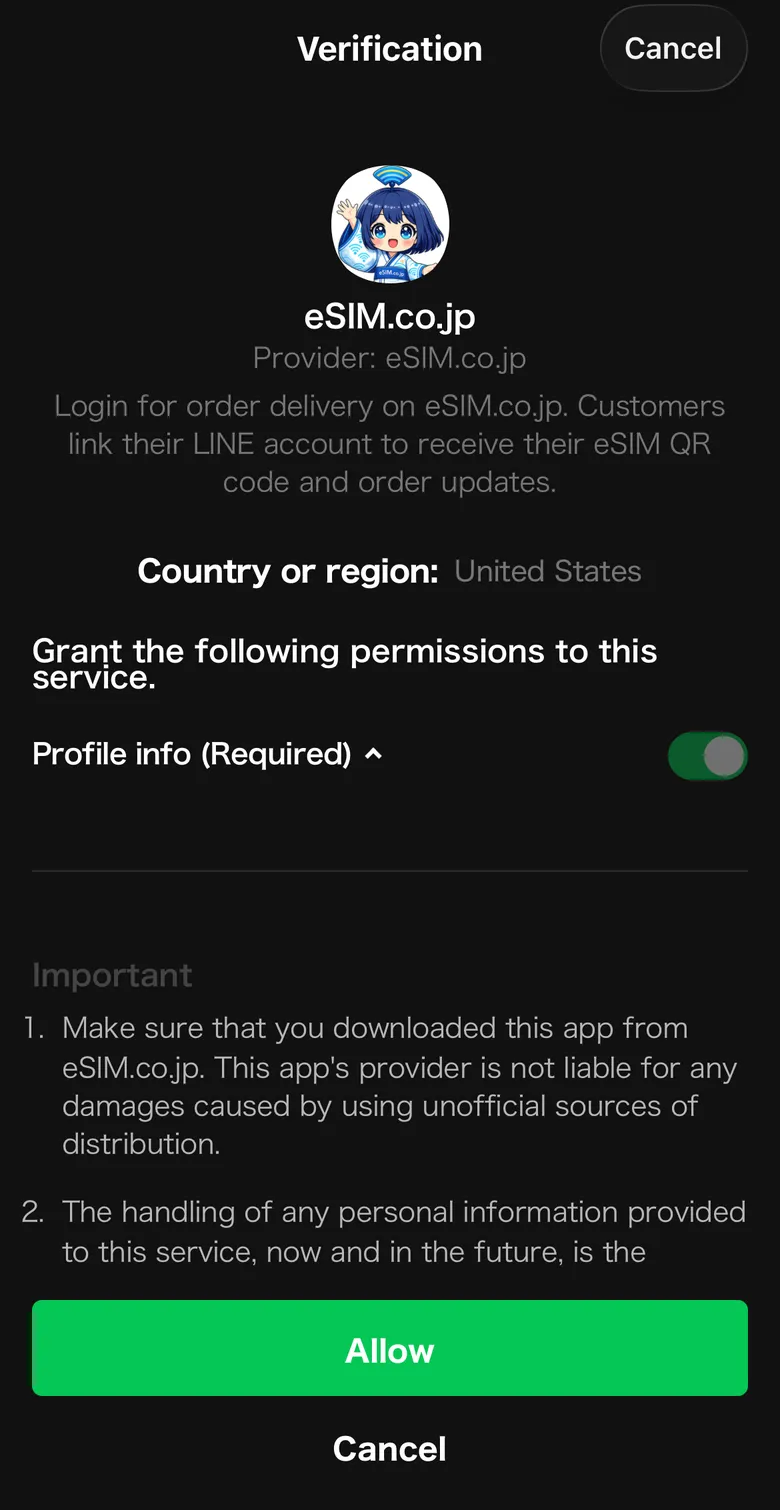
3Tap “Allow” on the LINE confirmation screenThis links eSIM.co.jp with your LINE account. No password needed.If your LINE is set to Japanese, the button reads 「許可する」.
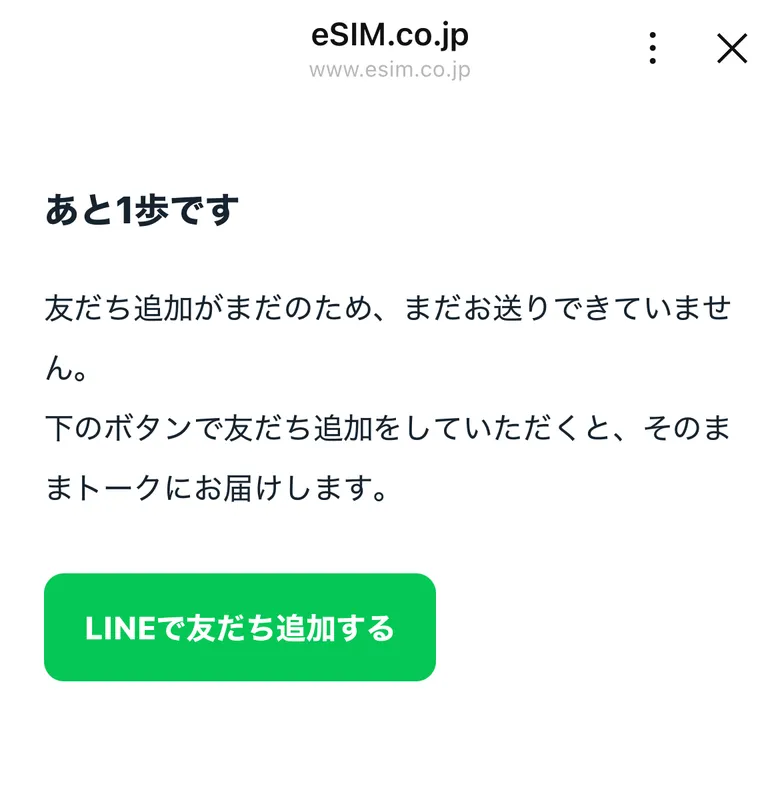
4If you see “One more step”, tap “Add us on LINE”It appears after “Linking with LINE…”, and only if you haven't added us yet. Adding us lets us send everything to your chat.If you've already added us, you won't see this screen.
✓You're done when the message lands in your chatYou'll get your order number and a link. From then on you can pick up your QR code and check what's left, all in that chat.
Can’t find the email? Look it up from Check your order. If something goes wrong, tell us in the LINE chat which screen you got stuck on.
What the menu under the chat does
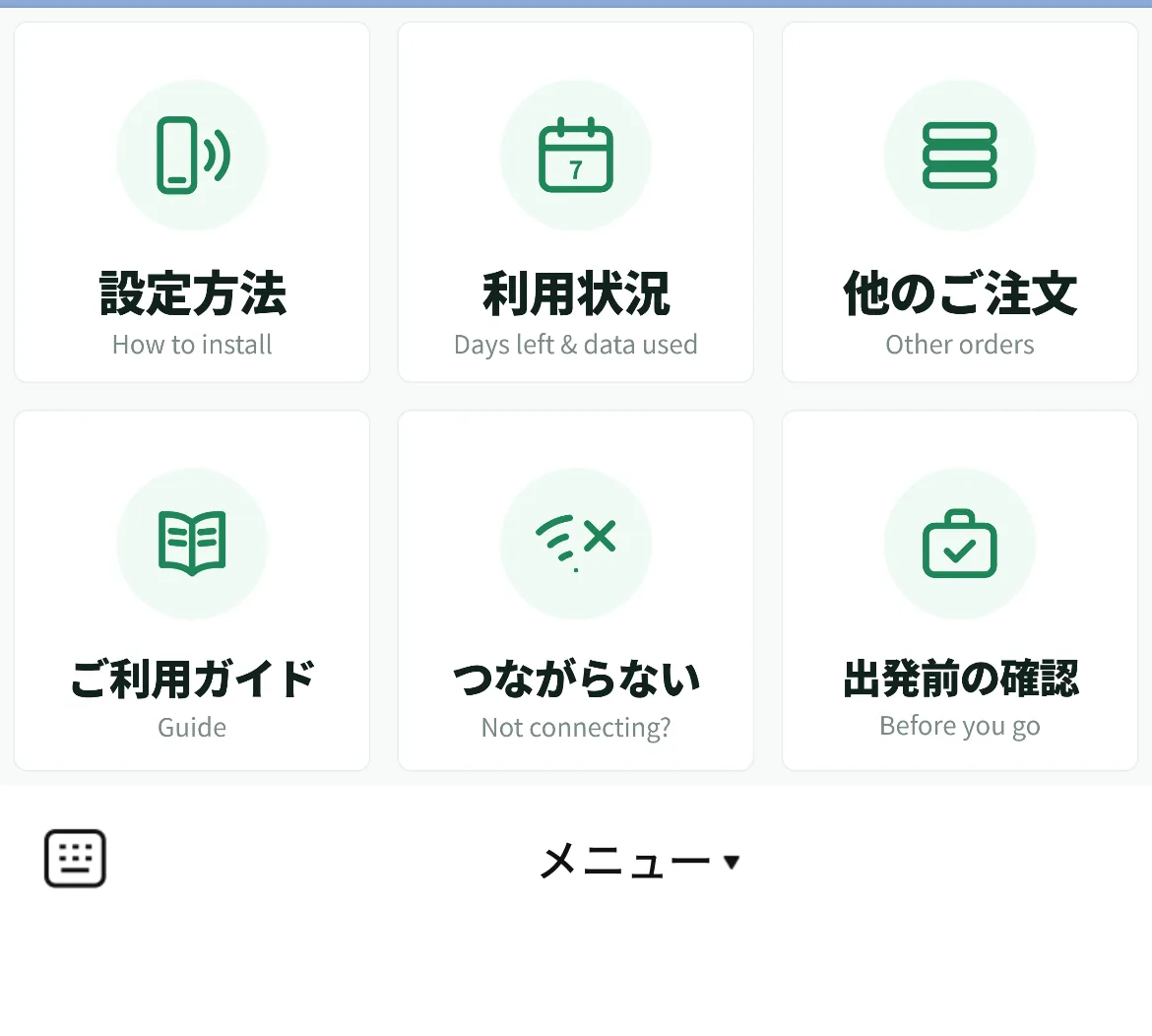
The menu sits under the chat, always there
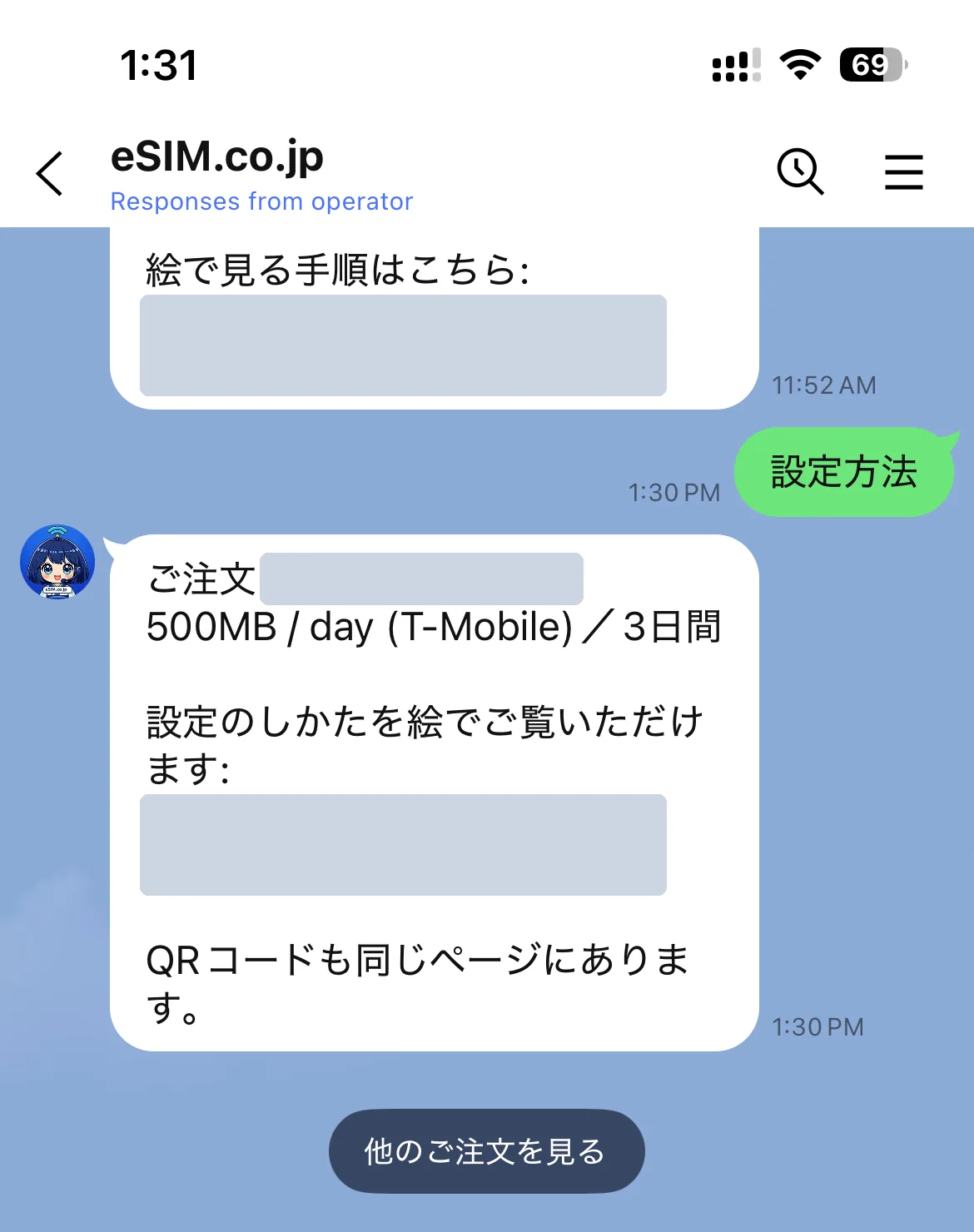
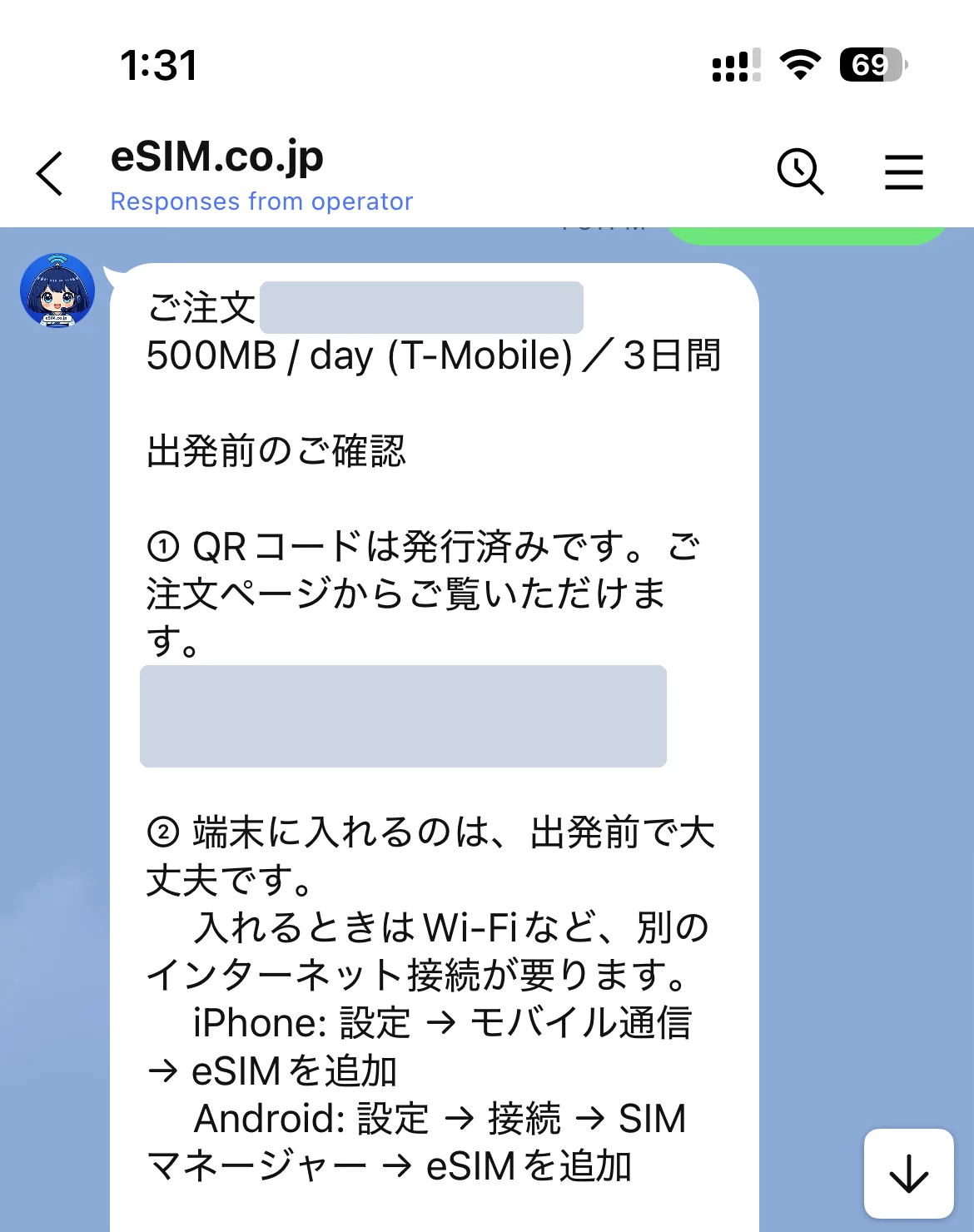
Setup guideShows how to add the eSIM, matched to the product you bought, with pictures. Your QR code is here too.
Data & days leftTells you how much data is left and how long you can use it — the figures we get from the carrier at that moment.
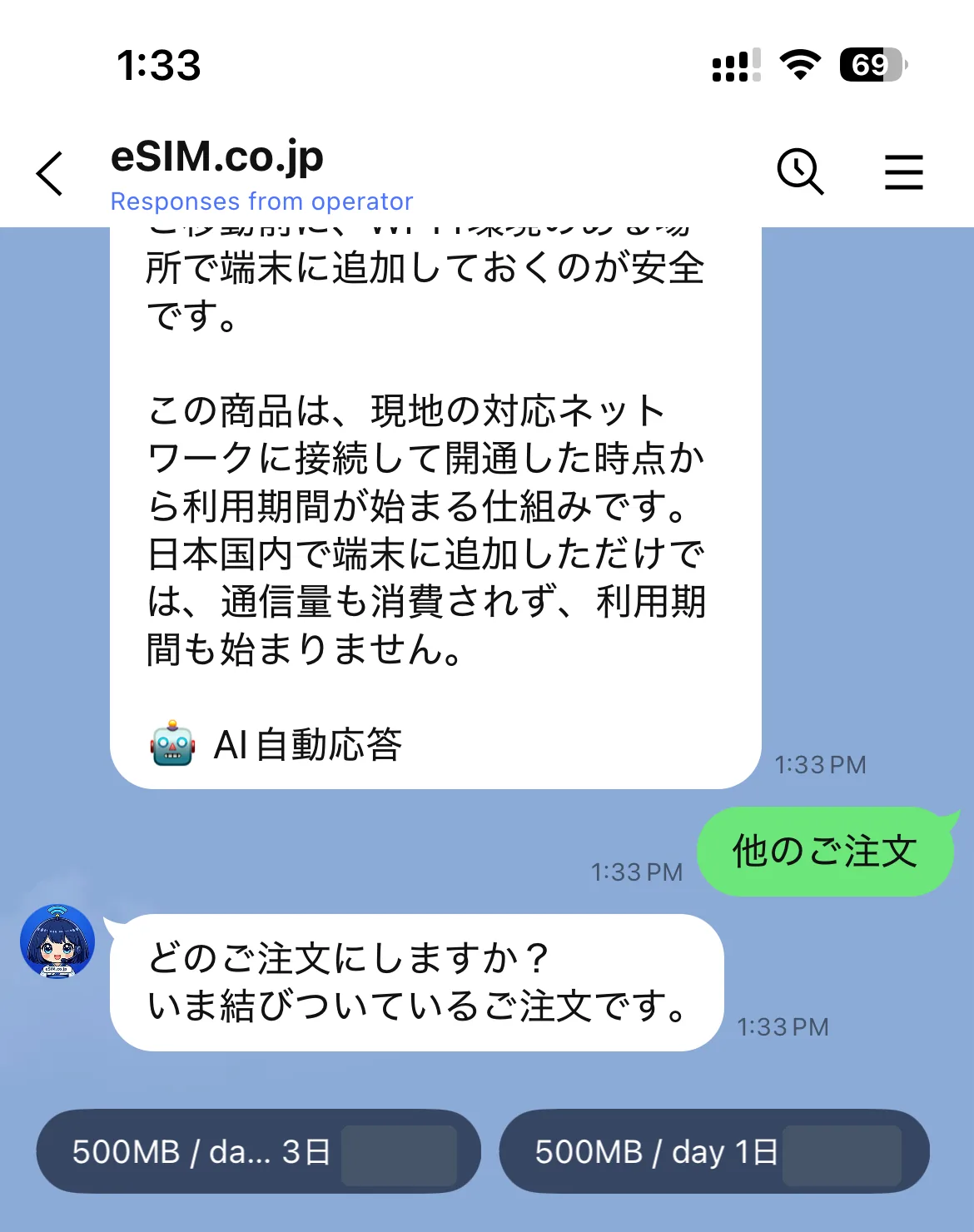
My other ordersIf you bought more than one, pick which order you mean. Everything after that is about that order.
User guideOpens the guide on our site — from buying to getting online at your destination.
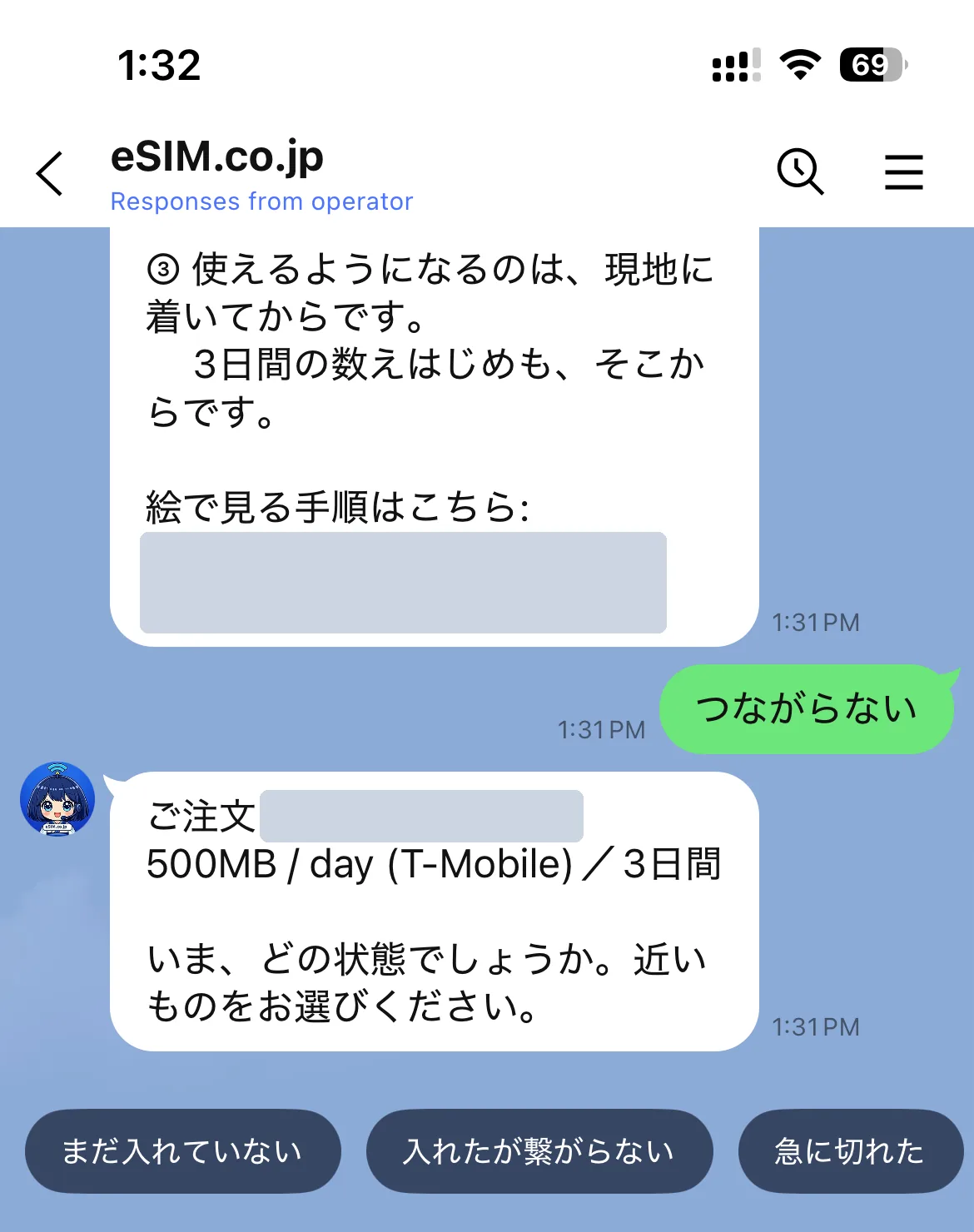
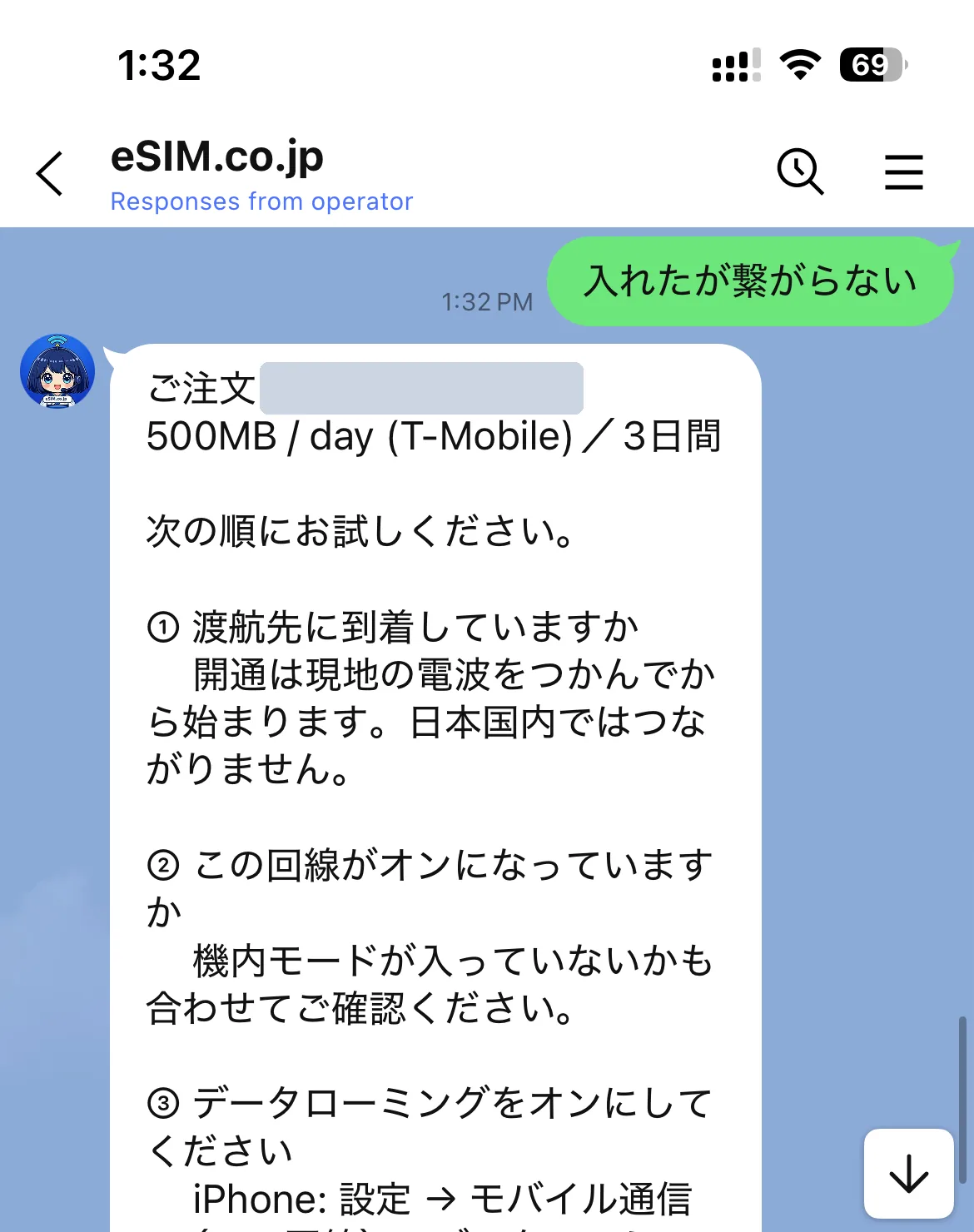
Not connectingWe don't just list steps. We ask what state you're in first, then show only the steps that fit.
Before you travelWhat to check before you go, matched to the product you bought — when to add it and what you'll need.
Real screens
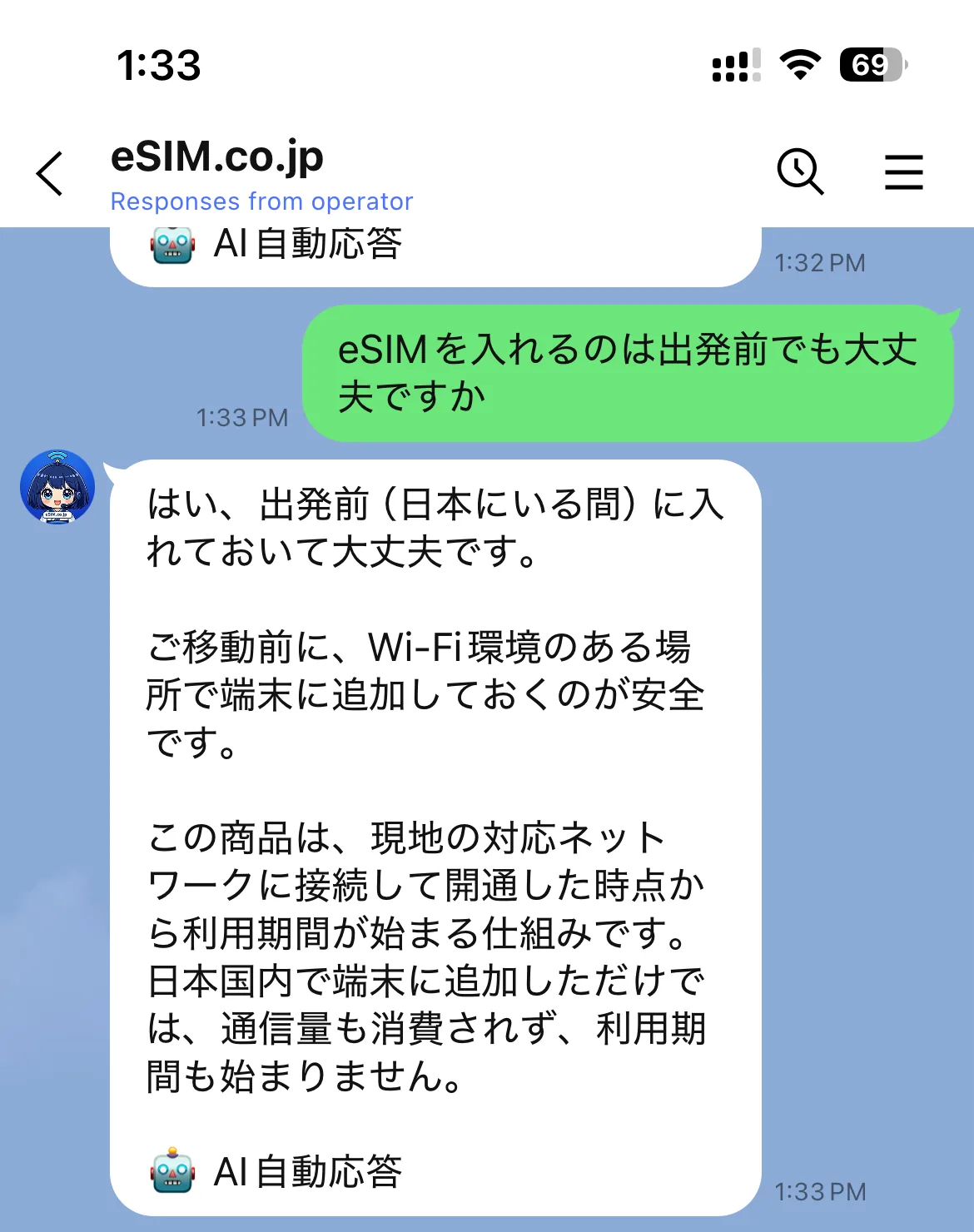
The screenshots below are from the Japanese chat. The chat itself replies in English.
Setup guide
Data & days left
Before you travel
Not connecting ① we ask what state you're in
Not connecting ② only the steps that fit
My other orders
Common questions get answered on the spot
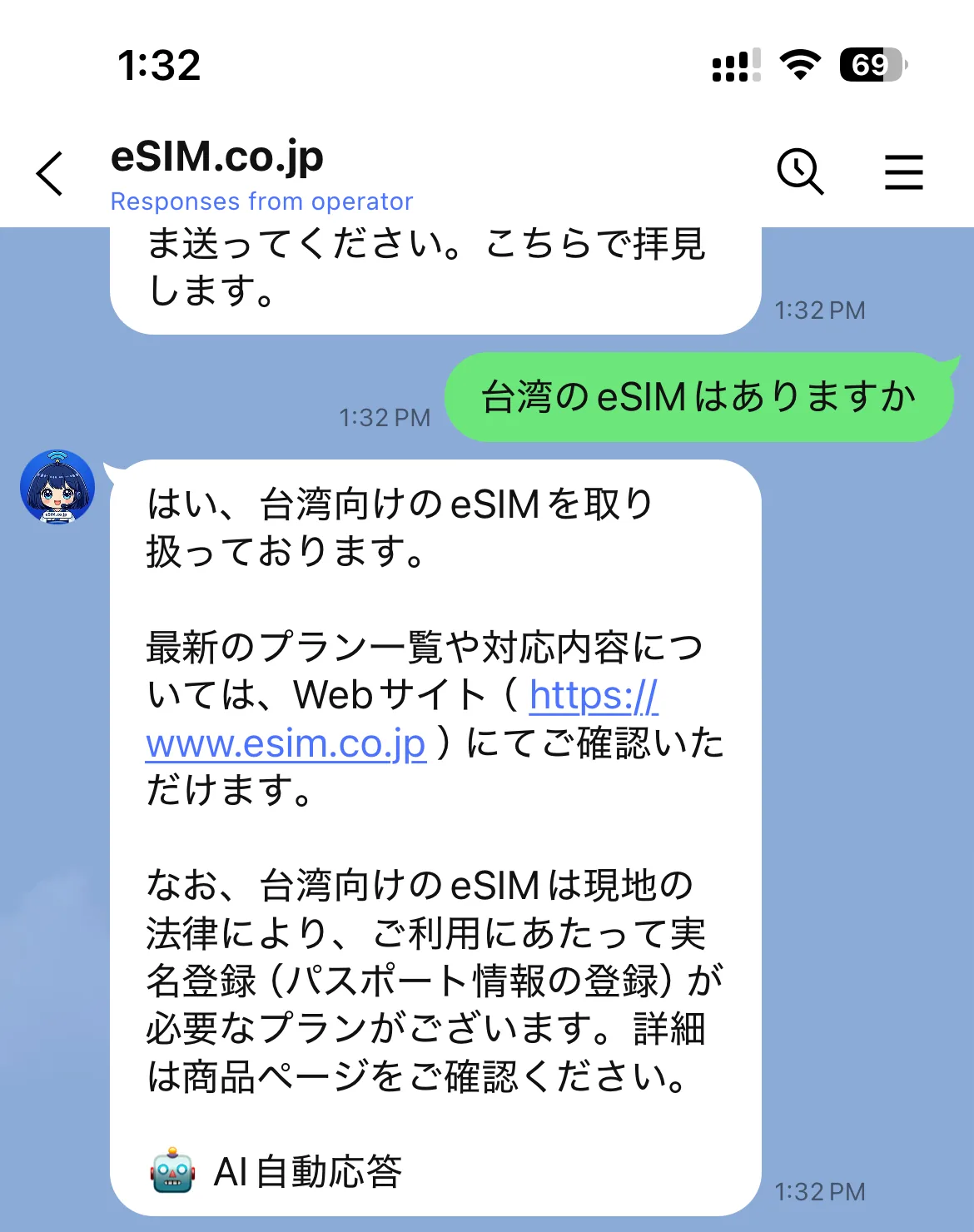
An AI answers you
・Replies from the AI are marked 🤖 Automated reply.
・For refunds, payments and legal questions the AI doesn't weigh in — it hands you to a person.
・A “Live Chat” button appears under a reply only when the AI can't answer.
・Our team is here 9:00-16:00 JST, every day.
Common questions
Do I have to use LINE to buy?
No. Buying and receiving your QR code work entirely by email. LINE is there if you want to ask us something.
What can I do if I just add you as a friend?
We can answer general questions about the products and how to use them. To see the data and expiry for your own order, you need to link it.
What happens to my information when I link?
We link your order to your LINE account so we can answer about that order. See our privacy policy for the details.
Can I call instead?
Yes — 050-1730-9585, 9:00-16:00 JST, every day. If we can't pick up, leave a message and we'll call you back within those hours.